

Key Takeaways
- AI and automation reduce manual work, helping organizations improve productivity without proportionally increasing headcount.
- Connected systems, quality data, and standardized processes are essential for achieving meaningful ROI from AI investments.
- How you implement technology — not just whether you adopt it — directly shapes employee engagement, retention, and your ability to attract talent.
Most organizations look to AI and automation for one thing: to move faster. But the real opportunity is broader. Done well, these tools help you perform better today — cutting the manual work that slows teams down — while also protecting what matters: your data, your continuity, and the people who carry your institutional knowledge. And when that foundation is solid, they help you create the capacity to grow without adding proportionate cost.
The key is not to adopt technology for technology's sake, but to make targeted investments that support business objectives, strengthen operations, and support the people doing the work.
Here's how to put AI and automation to work for your business and the people who run it.
Reduce Manual Work and Improve Efficiency
Every hour spent on manual work takes away from your organization’s ability to grow. Automation and AI can help, but only when backed by a thoughtful strategy that considers your people, processes, and technology.
When looking for ways to utilize AI to benefit your workforce, look for:
- Repetitive, rule-based processes.
- Manual or duplicate data entries.
- Lack of workflow visibility.
- Time-intensive administrative activities.
AI can help finance teams automate repeatable tasks like report generation or vendor invoice processing. Similarly, outsourcing functions like project management or specialized IT roles can provide faster results without long-term cost commitments.
- Dive Deeper: A CFO's Guide to Responsible AI
Automation in Construction: Eliminating Duplicate Work
One of our clients faced significant challenges extracting data from their insurance claims management system and pushing information into their analysis system due to a lack of open API access. On top of that, each insurance carrier required special approval, creating additional roadblocks.
Our team built a solution where automation pulls data and documentation (like photos and work details) directly from their CRM — where their team is already managing mitigation work — and sends that information into the analysis system. This eliminates the need for duplicating data entry and ensures all employees can continue working in a single, familiar environment.
Expand Workforce Capacity
IBM's Institute for Business Value puts it plainly: the biggest barrier to AI value isn't the technology — it's how organizations adapt their people, processes, and culture around it. In fact, 83% of CEOs say human adoption, not the technology itself, is what determines AI success.
Automation can remove low-value work, so teams can focus on customer service, innovation, and other strategic initiatives. But this only works when employees are properly trained on how to embrace AI, not shy away from it. Leading companies must pair automation with structured reskilling, building AI literacy through hands-on use, cross-functional projects, and clear guidance so people gain confidence as the work changes.
And reskilling isn't just an AI-readiness play — it's a retention strategy. LinkedIn research finds 94% of employees would stay longer at a company that invests in their learning, and CompTIA's 2026 workforce study reports 83% of organizations expect skill development to meaningfully improve morale and engagement.
Automation in Healthcare: Creating Capacity through Automation
A managed care provider serving individuals with disabilities through both in-home and out-of-home care services would spend days submitting Medicaid claims one-by-one through state-run portals.
Our team built a custom robotic process automation (RPA) solution that utilizes their existing billing spreadsheet and submits each claim to the correct state’s Medicaid portal. Once the automation process is complete, they receive an email detailing the results of all submitted claims, including whether they were accepted, rejected, or if there are errors to be reviewed.
Invest in Technology That Scales
Strategic technology investments create capacity by removing friction from how work gets done. But scalable growth requires a technology strategy that supports the business long after the initial implementation.
Employees spend hours navigating disconnected systems, manually entering data, reconciling reports, and completing administrative tasks that add little strategic value. Adding more people may temporarily ease the burden, but it rarely addresses the root cause. In one client assessment, we found the entire data function depended on a single senior engineer: a continuity and scalability risk that no amount of new tooling could fix on its own.
Here’s the reality: scaling isn’t about buying more technology; it’s about spreading knowledge and standardizing how the work happened. AI and automation are most effective when built on a foundation of connected systems, reliable data, and standardized processes. Without that foundation, organizations often struggle to achieve meaningful ROI from new technology investments.
Preparing Your Organization for AI Success
Most leaders are past debating whether AI matters. The harder question is why so few are seeing returns. Gartner found that only one in five AI investments delivers measurable ROI and the gap usually isn't the technology. It's the absence of strong data, clear processes, and governance underneath it.
While many businesses believe they're AI-ready, the data tells a different story. A recent Gartner survey found only 27% of executives have a comprehensive AI strategy, and just 20% believe their workforce is truly AI-ready.
The difference between AI that engages employees and AI that alienates them comes down to implementation. Gallup's 2026 research found employees are substantially more likely to be engaged when leaders introduce AI with clear expectations, a thoughtful rollout, and active manager support — not simply access to new tools.
Understanding where your organization falls on the AI maturity curve can help identify the next steps for building a scalable AI strategy.
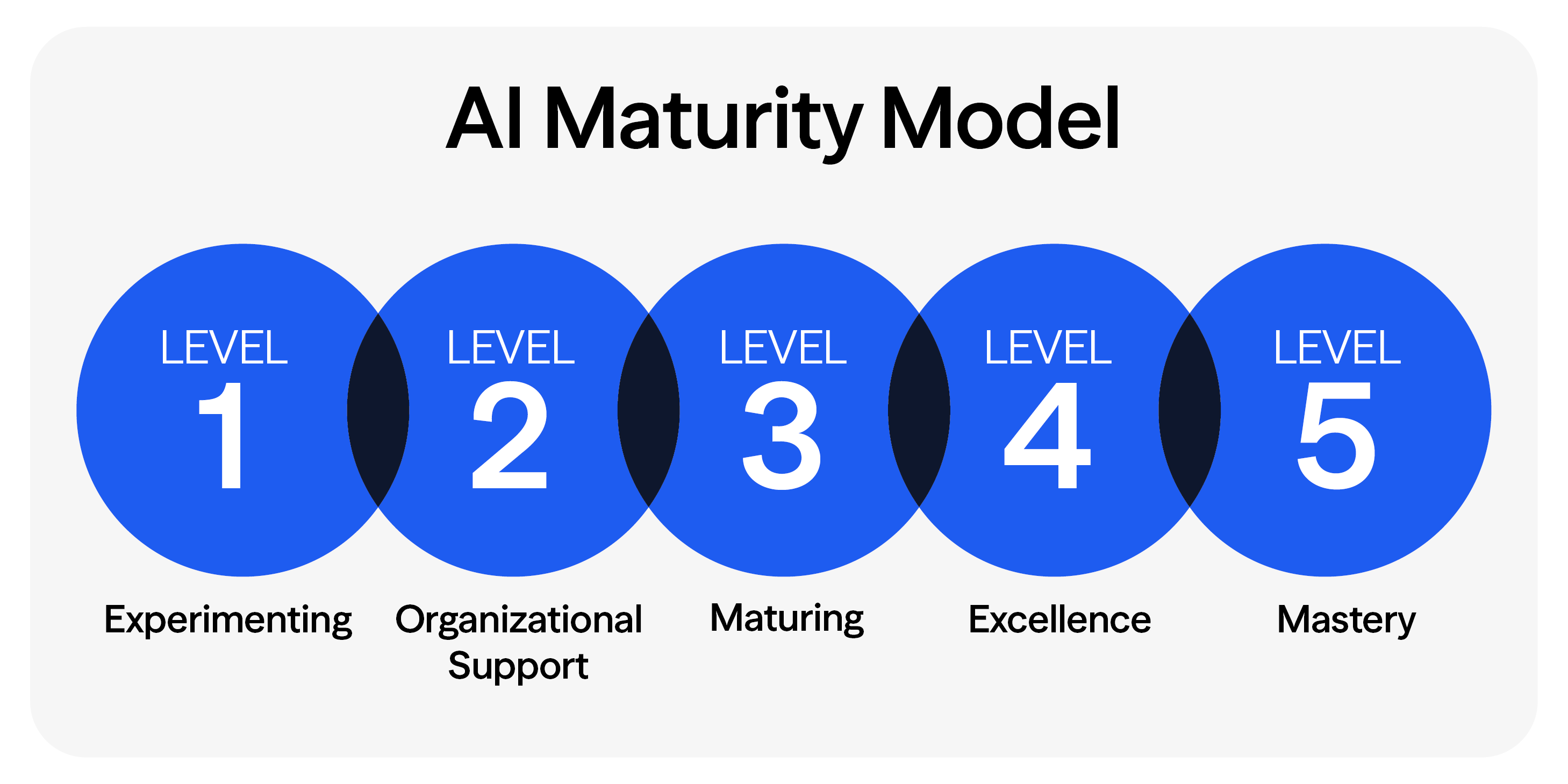
Before investing in new AI capabilities, ask:
- Where are employees spending time on repetitive tasks?
- Which processes create bottlenecks that slow growth?
- What work relies too heavily on manual intervention?
- Where do disconnected systems create inefficiencies?
- Which operational challenges increase as the business grows?
Answering these questions can help uncover opportunities to improve efficiency, increase productivity, and support growth without adding unnecessary complexity.
Investing in Your People Through Technology
The organizations seeing real returns aren't the ones adopting the most tools. They're the ones using technology to make work better for the people doing it.
Reducing manual work, expanding capacity, and modernizing operations all point back to the same outcome: employees who spend less time on low-value tasks and more time on the work that matters.
An investment in technology, made thoughtfully, is an investment in your people. Eide Bailly helps organizations harness AI responsibly — aligning technology with strategy, data integrity, and human oversight.
Not sure how to start? Take our AI maturity assessment. AI Maturity Assessment.
Frequently Asked Questions About Workforce AI Adoption
What skills are most important for the future workforce in an AI-driven organization?
Skills like data literacy, critical thinking, adaptability, and collaboration are increasingly valuable, alongside technical competencies in analytics and automation tools.
What are the best ways to upskill or reskill our workforce for AI?
Offer targeted training, encourage cross-functional projects, and partner with external experts to build AI and automation capabilities across your team.
What business processes should companies automate first?
Organizations should start with repetitive, rules-based processes that consume significant employee time, such as invoice processing, approvals, reporting, onboarding and data entry.
How can AI help companies grow without adding headcount?
AI and automation reduce manual work, allowing employees to focus on higher-value activities. This increases workforce capacity and supports growth without proportional increases in staffing.
What are the best AI investments for middle-market companies?
The highest-value AI investments typically improve productivity, streamline operations, enhance decision-making and create scalable business processes.
How do you identify opportunities for automation in a business?
Look for bottlenecks, manual data entry, disconnected systems, repetitive workflows and tasks that slow employees down or create inefficiencies.
How can CEOs create an AI strategy?
An effective AI strategy starts with business objectives. Leaders should identify operational challenges, evaluate process inefficiencies, assess data readiness and prioritize initiatives that support measurable business outcomes.
When is a company ready for AI adoption?
Companies are generally ready when they have defined business goals, reliable data, documented processes and leadership alignment around expected outcomes.
How does automation improve workforce productivity?
Automation removes repetitive administrative work, reducing employee burden and allowing teams to spend more time on customer service, innovation, analysis and strategic initiatives.
What is the difference between AI and automation?
Automation follows predefined rules to execute tasks, while AI can analyze information, identify patterns and generate insights. Many organizations achieve the greatest value by combining both.
How can AI support scalable growth?
AI helps organizations standardize processes, improve operational efficiency, enhance decision-making and increase workforce capacity, making it easier to grow without significantly increasing costs.
What mistakes do companies make when implementing AI?
Common mistakes include chasing technology trends, automating inefficient processes, lacking governance, investing without clear business objectives and failing to prepare employees for change.

Empower your team with AI and automation solutions built for growth. Unlock your full potential.
Build a digital strategy that will drive your organization forward.
Who We Are
Eide Bailly is a nationally ranked accounting and advisory firm bringing financial, operational, and technical solutions to middle market and high-growth organizations.